
Overview
Email Notifications in Recurio ensure smooth communication between you and your customers by automatically sending updates about subscription activities, payments, renewals, and more. With both Free and Pro versions, you can customize and automate every email to keep your subscribers informed and engaged.
Why Email Notifications Matter
Automated email notifications help improve transparency, build trust, and reduce manual communication. Whether it’s a welcome message, payment receipt, or renewal reminder, these emails enhance the customer experience and reduce support workload.
Accessing Email Notification Settings
- Go to your WordPress admin dashboard.
- Navigate to Recurio → Settings → Emails.
- Configure sender details, toggle notification types, and customize timing for reminders.
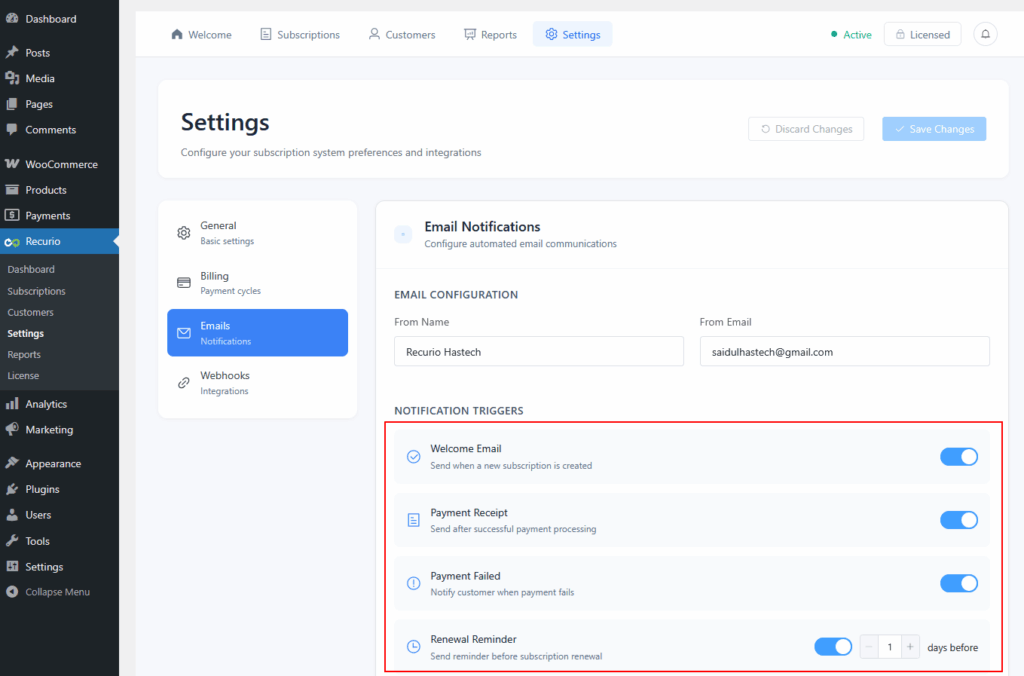
Email Configuration
| Setting | Description | Example |
|---|---|---|
| From Name | The name shown as the sender in customer inboxes. | Acme Subscriptions |
| From Email | The email address used for sending notifications. | [email protected] |
| Email Template | Base design for all outgoing emails. | Default / Custom |
Make sure your email address is verified and matches your domain to avoid spam filtering.
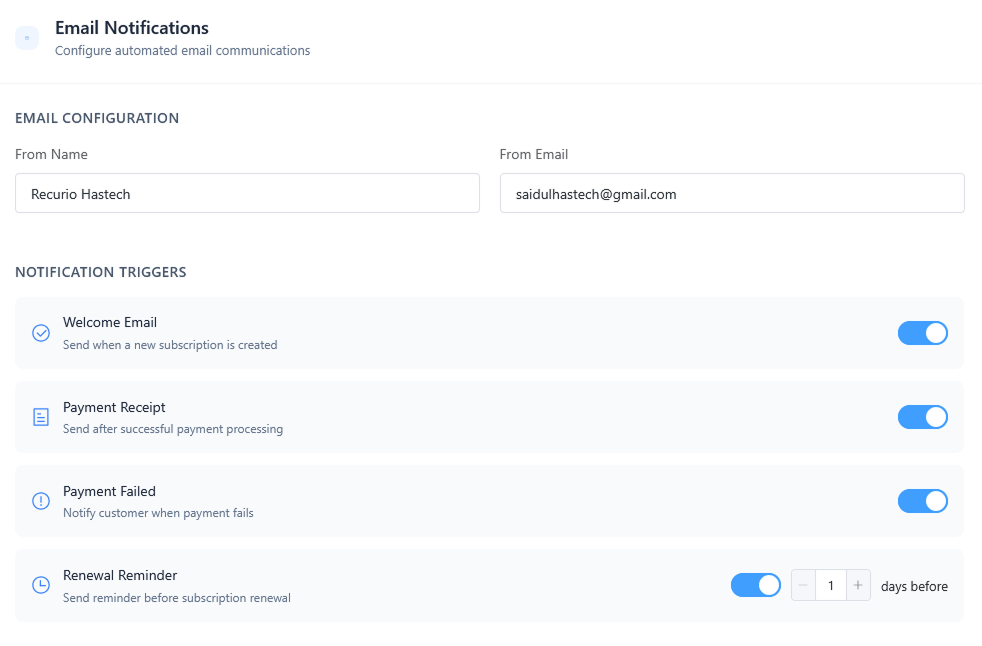
Available Email Notifications (Free Version)
1. Welcome Email
- Trigger: When a new subscription is created.
- Purpose: Welcome new customers and share subscription details.
- Includes: Subscription ID, plan details, next billing date, and portal link.
2. Payment Receipt
- Trigger: After a successful payment.
- Purpose: Confirms receipt and provides transaction details.
- Includes: Amount paid, payment method, and next billing date.
3. Payment Failed
- Trigger: When an automatic payment fails.
- Purpose: Alerts customers to update payment details.
- Includes: Failure reason, retry schedule, and update link.
4. Renewal Reminder
- Trigger: X days before renewal (set in settings).
- Purpose: Reminds customers of upcoming charges.
- Best Practice: Set 7 days before renewal.
5. Subscription Paused
- Trigger: When a subscription is paused.
- Purpose: Confirms pause and explains next steps.
6. Subscription Resumed
- Trigger: When a paused subscription is resumed.
- Purpose: Confirms reactivation and displays next billing date.
7. Subscription Cancelled
- Trigger: When a subscription is cancelled.
- Purpose: Confirms cancellation and provides renewal options.
8. Subscription Expired
- Trigger: When a time-limited subscription ends.
- Purpose: Notifies customer and encourages renewal.
Advanced Email Campaigns (Pro Version)
Recurio Pro unlocks advanced automation and retention tools for smarter communication.
| Campaign | Description | Key Benefit |
|---|---|---|
| Smart Dunning Series | Multi-step recovery emails for failed payments. | Recover up to 60% of failed payments. |
| Trial Ending Reminders | Automated sequence before free trials end. | Boost trial-to-paid conversions. |
| Subscription Expiration Warnings | Alerts customers before expiry. | Prevent surprise cancellations. |
| Win-Back Campaigns | Re-engage cancelled subscribers. | Recover churned customers. |
| Card Expiration Alerts | Warn users before their card expires. | Reduce payment failures. |
| Pause Reminders | Encourage paused users to resume. | Recover paused revenue. |
| Anniversary Emails | Celebrate milestones and loyalty. | Increase retention and referrals. |
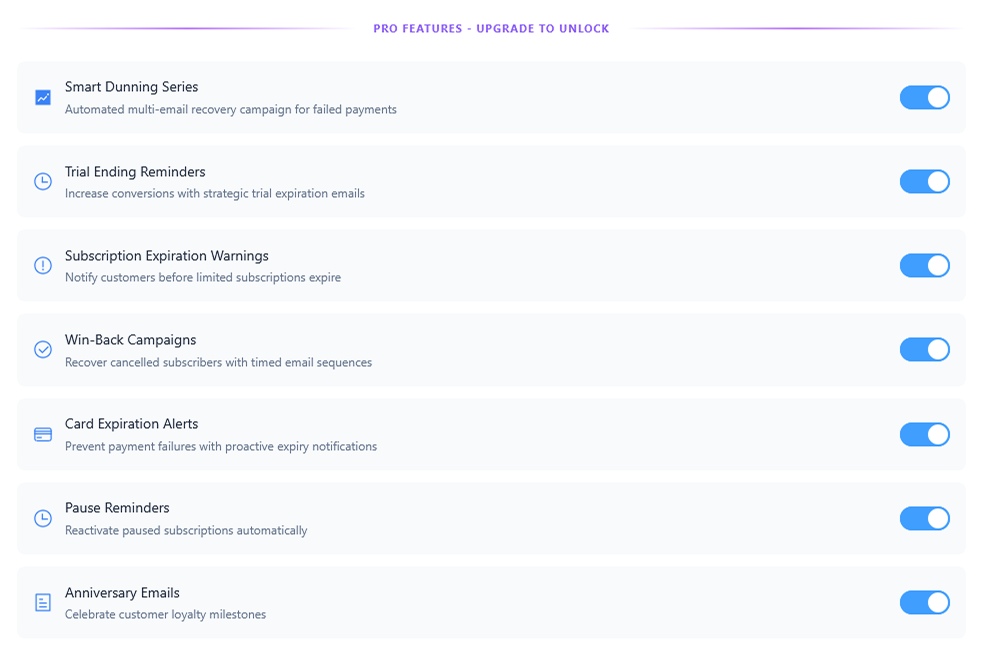
All campaigns can be customized using dynamic template variables for personalization.
Troubleshooting Email Notifications in Recurio
Issue: Emails not sending
Solutions:
- Ensure all required notifications are enabled.
- Check WordPress email functionality using WP Mail SMTP.
- Confirm no plugin conflicts with mailing functions.
- Test with a real subscription event.
Issue: Emails going to spam
Solutions:
- Use domain-matched sender email.
- Configure SMTP for authentication.
- Avoid spam-trigger words in subject lines.
Best Practices for Email Notifications in Recurio
- Always use a verified domain email (e.g., [email protected]).
- Set a consistent sender name to build trust.
- Personalize messages with customer name and subscription details.
- Review templates regularly for tone and clarity.
- Test notification timing for best engagement.
Conclusion
Email Notifications in Recurio simplify your customer communication by automating important updates and reducing manual effort. From onboarding to renewals and retention, Recurio ensures your subscribers always stay informed — helping you maintain strong relationships and stable recurring revenue.